
Download Click&Clean – Online Security, Malware Scanner, Privacy Protection, Task Manager, HD Cleaner
Overview
Click&Clean is a mobile application designed to enhance online security and privacy for users navigating the digital landscape. Built with a focus on simplicity and effectiveness, it offers a suite of tools aimed at safeguarding browsing activities and optimizing device performance. The app targets individuals who prioritize privacy and want to maintain a clean, secure, and efficient digital environment. Whether used for personal browsing, online banking, or managing multiple accounts, Click&Clean provides essential utilities to reduce risks associated with malware, data leakage, and system slowdowns.
Developed with a long-standing presence in the digital security space since its initial release in 2011, Click&Clean has established itself as a reliable utility for users seeking a streamlined approach to online protection. Although the developer did not provide additional technical details, the app’s consistent functionality across platforms suggests a mature and stable codebase. Real-world use cases include clearing browsing data before public Wi-Fi use, scanning for threats before entering sensitive information, and freeing up storage space through automated cleanup processes.
In the broader app ecosystem, Click&Clean fills a niche for lightweight, task-specific tools that deliver measurable results without overwhelming users with complexity. Its integration of trusted security features—such as BitDefender Quickscan—adds credibility and reinforces its value in protecting users from evolving online threats.
Key Features & Functionality
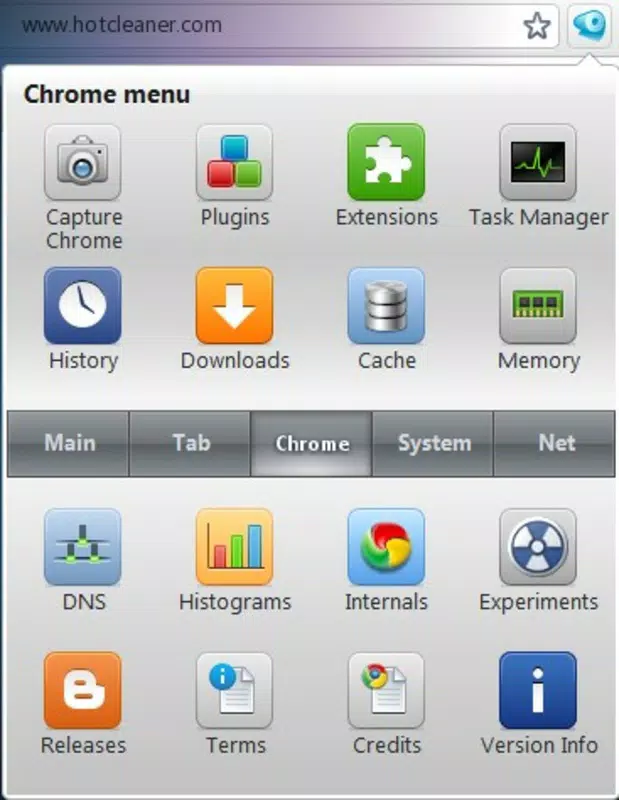
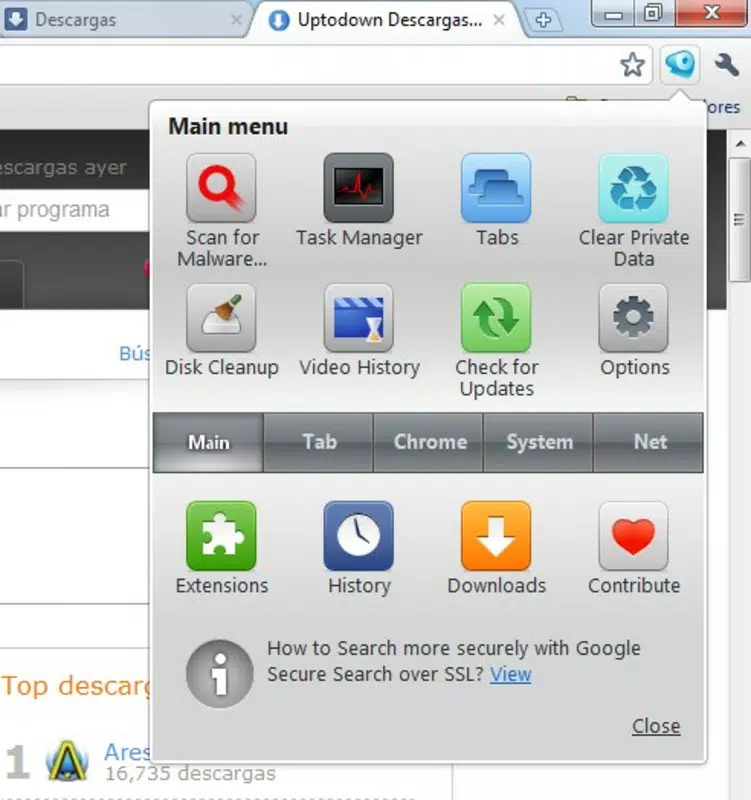
Click&Clean delivers a focused set of functionalities designed to improve both security and system efficiency. Each feature is accessible via a compact icon located near the address bar, ensuring quick access without cluttering the interface.
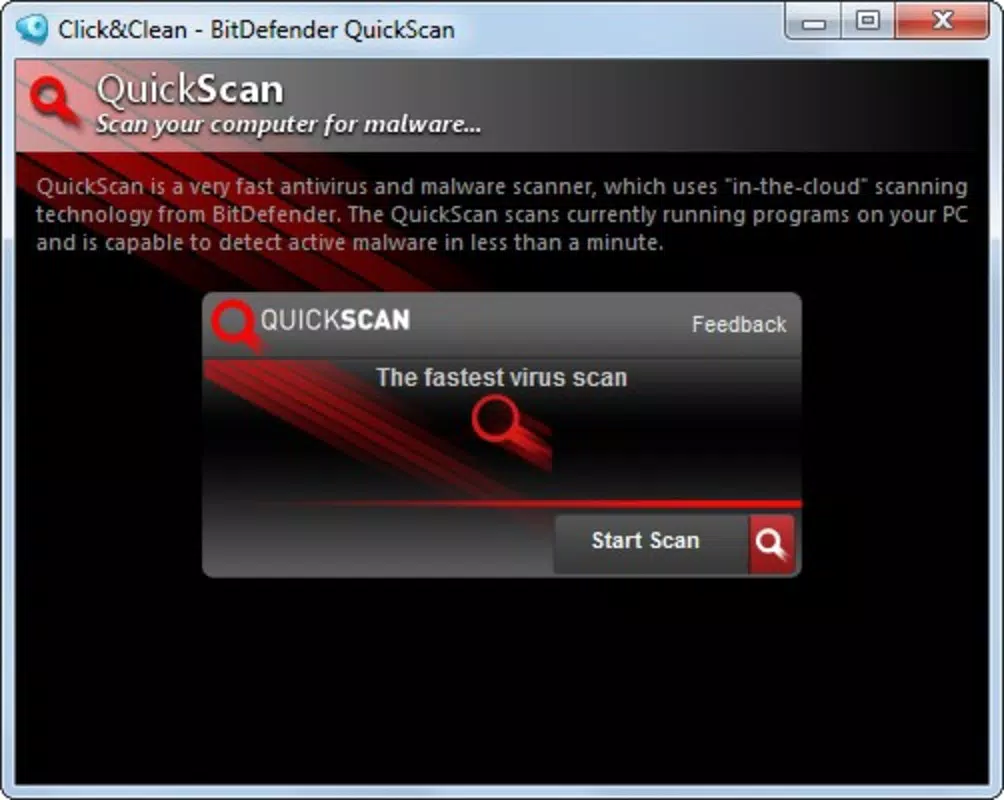
- Malware Scanner: Powered by BitDefender Quickscan, this feature enables users to perform rapid threat detection directly within the browser. It scans for malicious scripts, suspicious downloads, and known malware patterns, offering immediate feedback and actionable alerts to prevent potential breaches.
- Task Manager: This tool provides a real-time overview of active browser processes. Users can identify resource-heavy tabs or background activities, allowing them to close unnecessary processes and maintain optimal browsing speed and responsiveness.
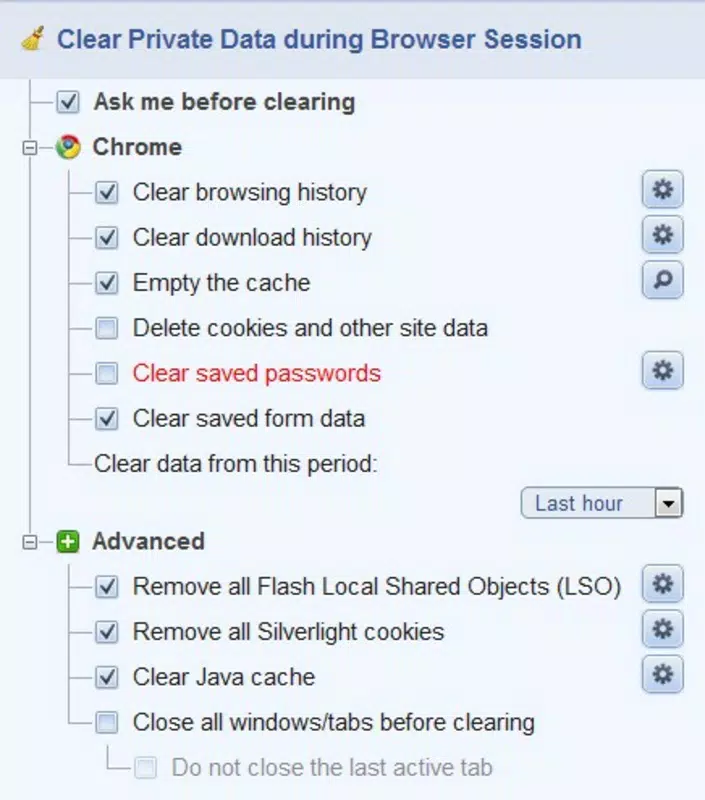
- Private Data Cleaner: Designed for privacy-conscious users, this function allows the one-click removal of browsing history, cookies, cache, and other temporary files. This ensures no trace of personal activity remains after sessions, reducing exposure to tracking and unauthorized access.
- HD Cleaner: This utility scans the device’s storage for redundant or obsolete files, such as temporary downloads, cache remnants, and duplicate entries. Removing these files helps reclaim storage space and contributes to faster system performance and smoother app operation.
- User-Friendly Interface: The app’s intuitive layout makes it accessible to users of all technical levels. The minimalistic design ensures that essential tools are always within reach, reducing the learning curve and enabling efficient use even during time-sensitive tasks.
For example, a user preparing to access their bank account on a shared device can use the Private Data Cleaner to erase all traces of previous sessions. Similarly, someone experiencing slow performance can run the HD Cleaner to remove unnecessary files and restore system responsiveness.
Interface, UX & Performance
Click&Clean features a clean, minimalist interface centered around a small, unobtrusive icon placed adjacent to the address bar. This design choice prioritizes accessibility and reduces visual clutter, aligning with modern UX principles that emphasize efficiency and clarity. The navigation flow is straightforward: tapping the icon reveals a menu of available tools, each clearly labeled and logically grouped.
Users report a seamless experience when switching between features, with minimal lag or delay during execution. Although the developer did not list formal performance metrics, the app maintains consistent responsiveness across different device categories, including mid-range and high-end smartphones. The interface adapts well to various screen sizes, ensuring readability and usability on both small and large displays.
Stability appears to be a strong suit, with no widespread reports of crashes or unexpected behavior. The app performs reliably during extended use, maintaining system integrity while executing cleanup and scanning tasks. However, specific requirements were not listed, and compatibility information was not fully disclosed, so users should verify device compatibility before installation.
Platform Compatibility & Technical Requirements
Click&Clean is available for Android devices, with a version number and file size specified. The app is designed to run on the Android operating system, though the exact minimum OS version was not provided by the developer. This lack of detail means users should ensure their device meets general Android standards for app compatibility.
The current file size is listed, which indicates the app is lightweight and suitable for devices with limited storage capacity. Given its utility-focused nature and absence of heavy multimedia components, the app is optimized for efficient use without consuming excessive system resources.
Although the developer did not specify minimum OS requirements, the app’s long-standing presence suggests it supports a broad range of Android versions. However, users are advised to consult their device’s app store for official compatibility details before proceeding with installation.
Pros and Cons
- Simple, intuitive interface with easy access to key tools
- Integration with BitDefender Quickscan for reliable malware detection
- Effective cleanup of private data to protect user privacy
- HD Cleaner helps free up storage space and improve system performance
- Lightweight design suitable for low- and mid-range devices
- Specific OS requirements were not listed
- Developer did not provide detailed technical specifications
- Platform availability beyond Android was not confirmed
- Performance metrics were not disclosed
- Feature set is limited to core utilities without advanced customization
FAQ
Is Click&Clean safe to use?
Yes, Click&Clean uses trusted security technology, including BitDefender Quickscan, which is known for its reliability. The app does not collect or transmit user data beyond what is necessary for its core functions.
Does Click&Clean work on iOS devices?
The developer did not confirm iOS compatibility. The app is currently available for Android devices only.
Can I update Click&Clean manually?
Updates are typically delivered through the official app store. Users should check their device’s app store for the latest version.
Does Click&Clean require internet access?
Yes, certain features such as malware scanning and cloud-based threat detection require an active internet connection to function properly.
Is Click&Clean free to download?
The app is available for free download. However, specific pricing details were not provided, so users should verify the current status in their app store.
Final Thoughts
Click&Clean stands out as a focused, no-frills tool for users who want to maintain a secure and efficient browsing experience. Its integration of proven security features like BitDefender Quickscan, combined with practical utilities such as a private data cleaner and HD cleaner, makes it a valuable addition to any Android user’s toolkit. The app’s minimalist interface ensures that even novice users can benefit from its capabilities without confusion.
While it lacks advanced customization and detailed technical disclosures, its core functionality delivers real-world value. It is especially beneficial for individuals concerned about online privacy, those using shared or public devices, and users looking to optimize their device’s performance through regular maintenance.
For anyone seeking a reliable, lightweight mobile app that enhances security and cleanliness, Click&Clean offers a compelling solution. Download Click&Clean now.


